

Propulse Connect — HRMS & Payroll SoftwareHRMS, payroll and outsourced workforce. One platform for India's real workforce mix.
Propulse Connect manages the complete employee lifecycle — for in-house teams and contractual workforce alike, across single or multi-client deployment sites. GPS attendance, automated PF / ESI / TDS, statutory filings and audit-ready records — on one cloud-first platform.
- GPS-based attendance
- PF · ESI · TDS automated
- Multi-client outsourced billing
- Live in 4 to 6 weeks
What is Propulse Connect?
Propulse Connect is cloud-first HRMS and payroll software for Indian enterprises that also manages outsourced workforce. It brings GPS attendance, payroll with automated PF, ESI and TDS, and contract staff onto one platform built for India's real workforce mix.
What Propulse Connect delivers
The headline capabilities.
No buzzwords, no jargon. Six concrete capabilities that decide whether an HRMS works for an Indian workforce — or doesn't.
- From onboarding to exit — one connected employee record
- 1 platformFrom onboarding to exit — one connected employee record
- Statutory contributions computed and filed automatically
- PF · ESI · TDSStatutory contributions computed and filed automatically
- GPS-based attendance — in-office, on-site, in the field
- Real-timeGPS-based attendance — in-office, on-site, in the field
- Outsourced workforce billed per deployment site
- Multi-clientOutsourced workforce billed per deployment site
- Manual payroll spreadsheets after go-live
- ZeroManual payroll spreadsheets after go-live
- Every approval, payslip and statutory filing logged end-to-end
- Audit-readyEvery approval, payslip and statutory filing logged end-to-end
How Propulse Connect looks
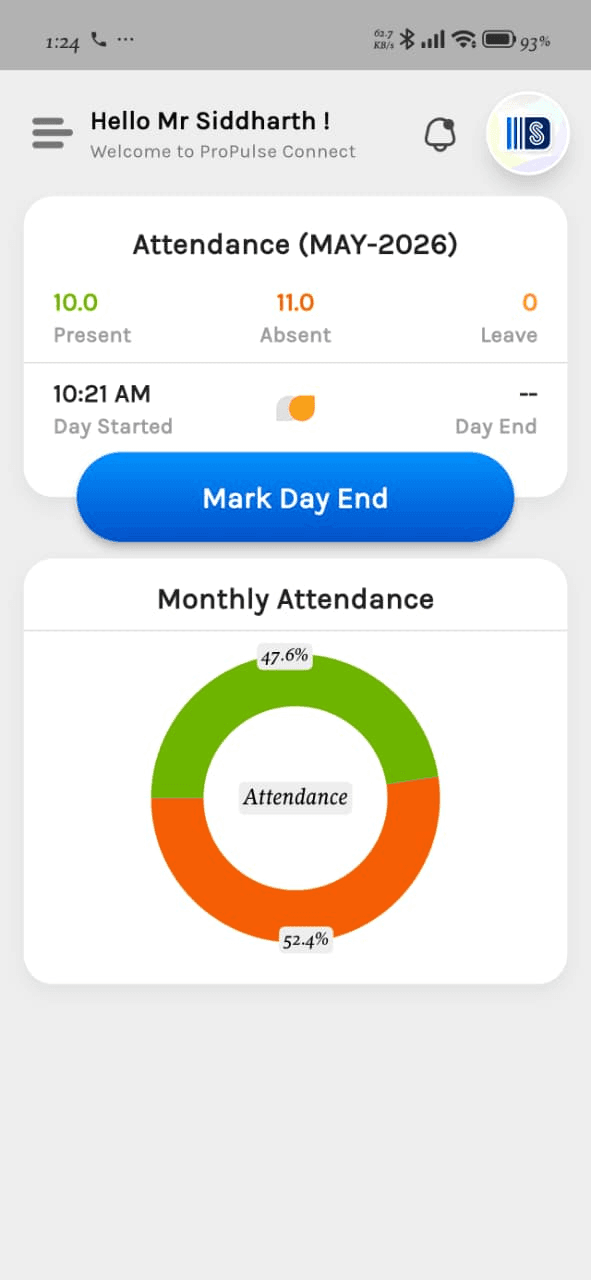
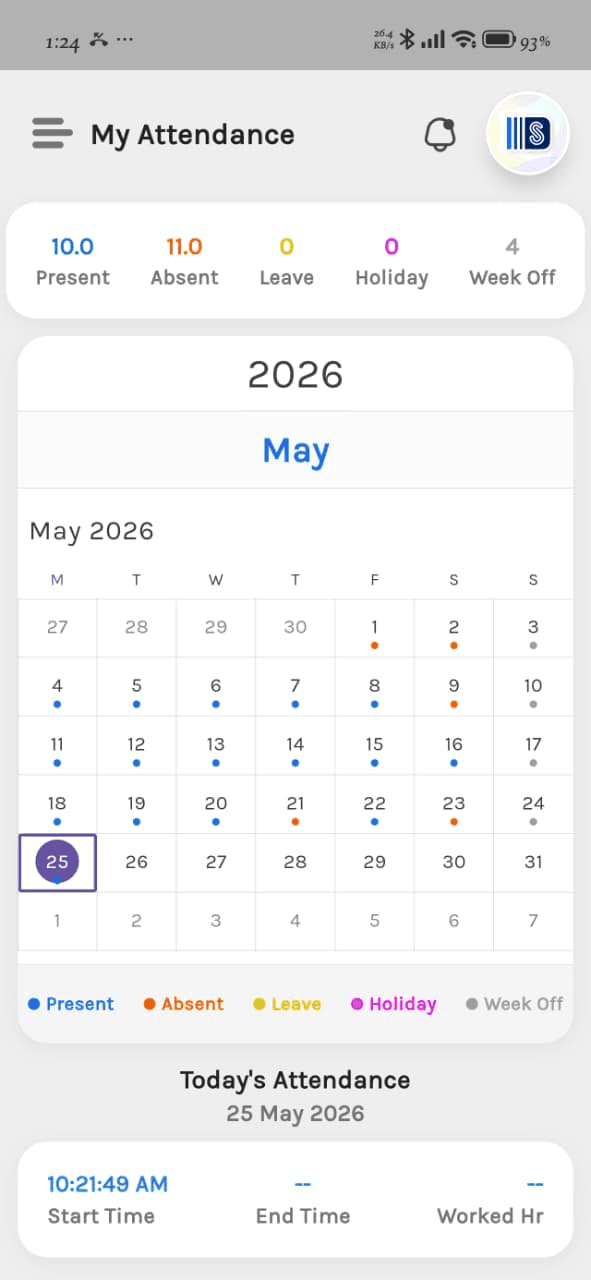
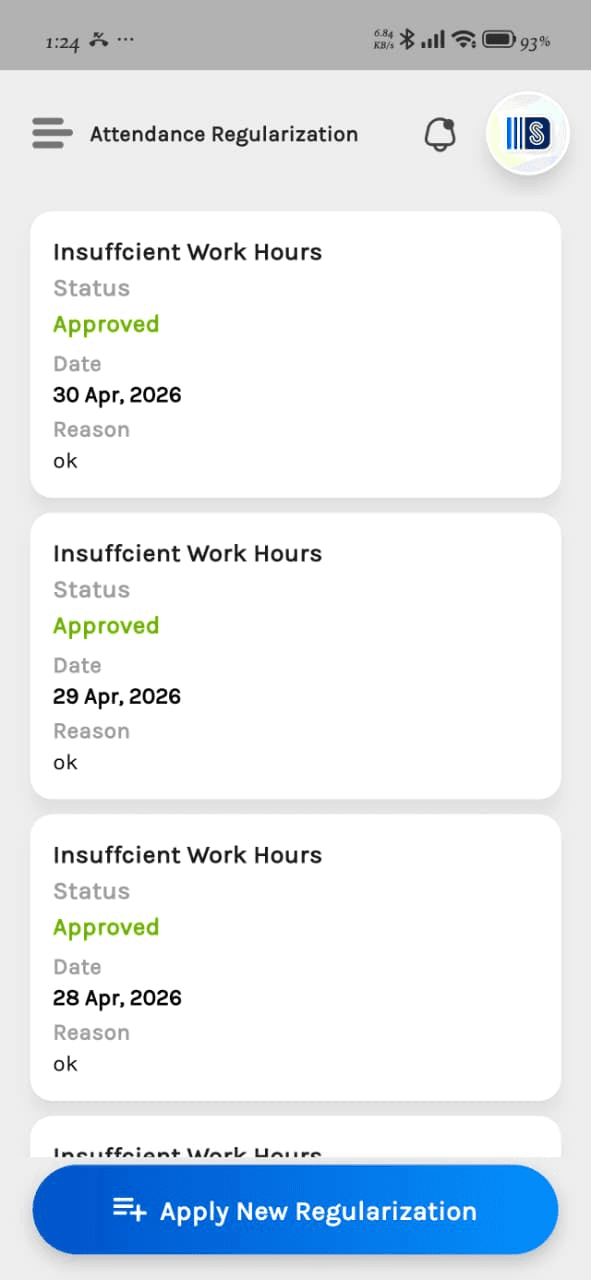
A web cockpit for HR. A mobile app for every employee.
Managers watch headcount, payroll cost and compliance status live on the web. Employees and field staff run attendance, leave, payslips and expenses from the mobile app — even when the network drops.
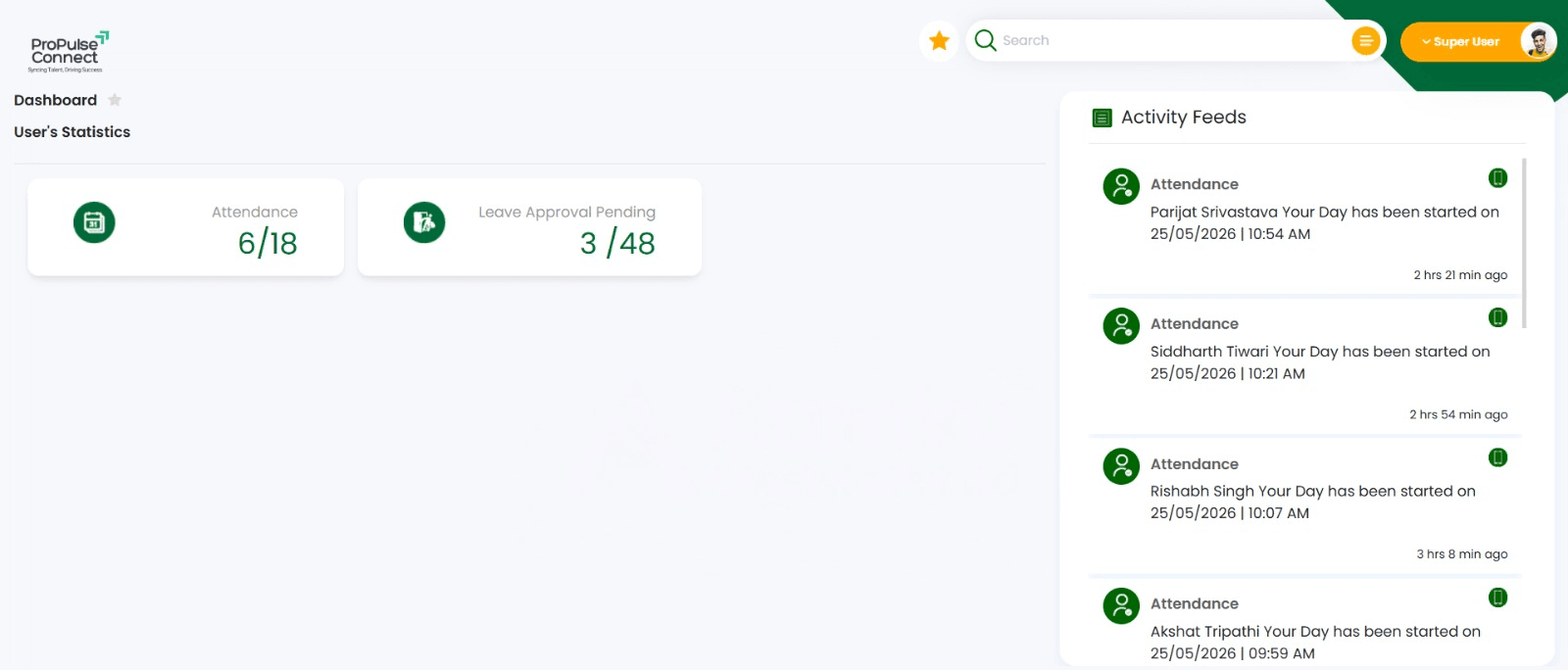
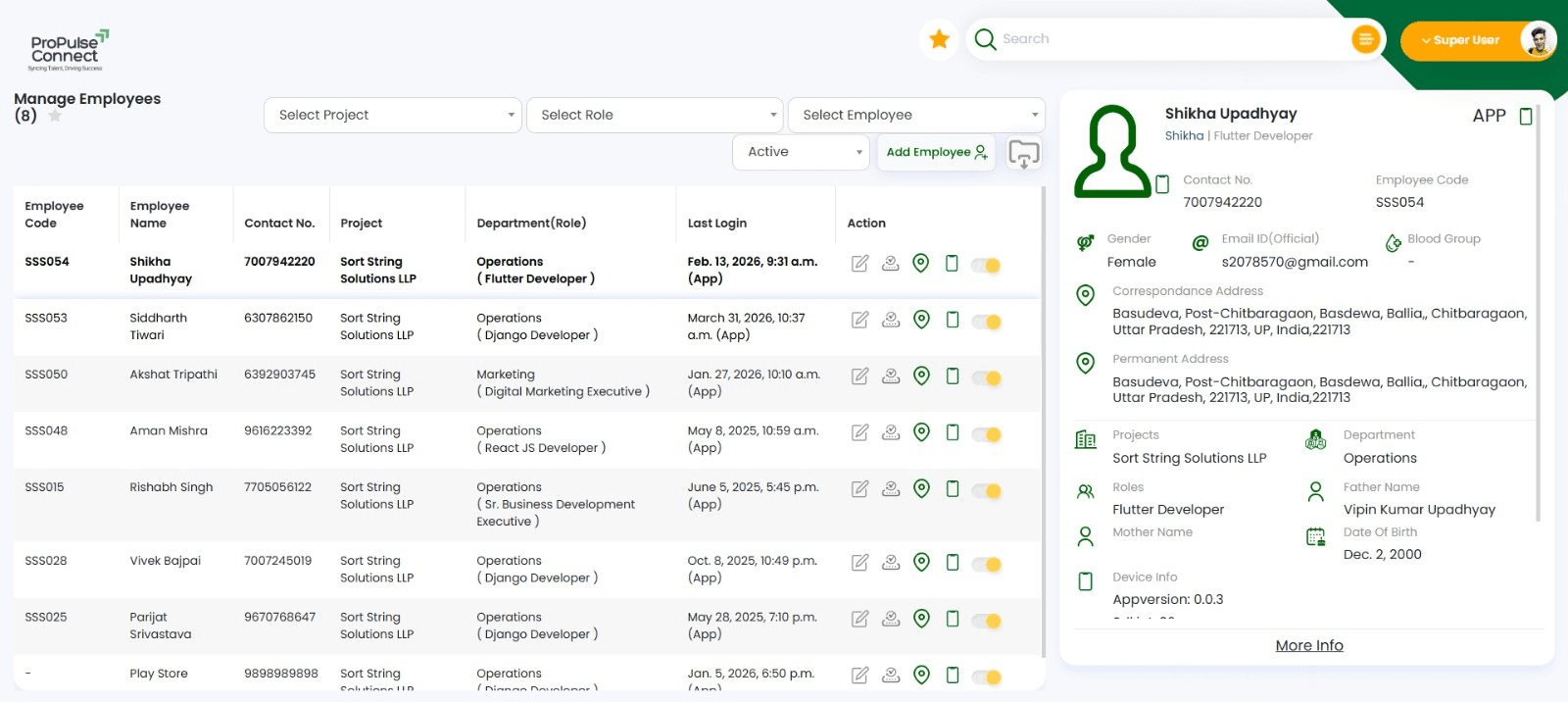
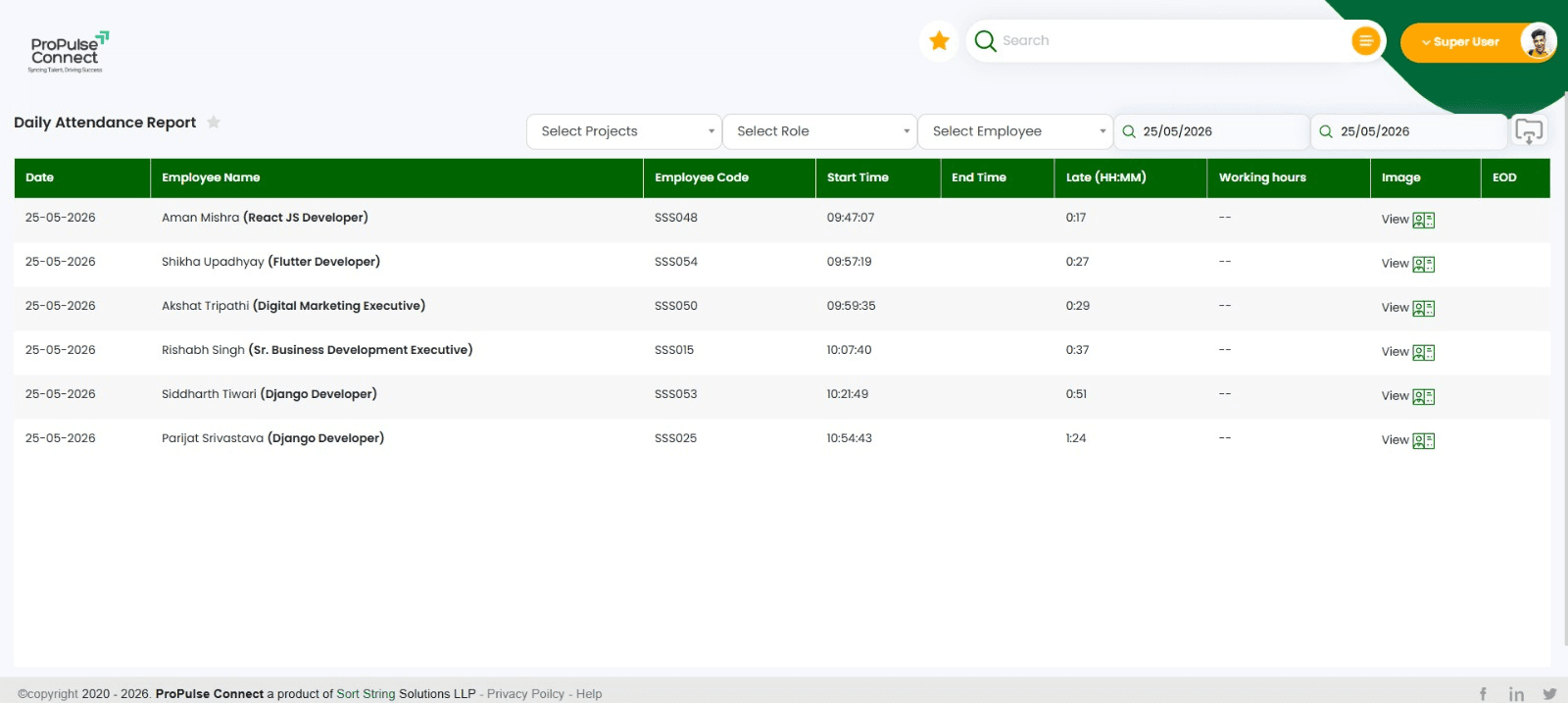
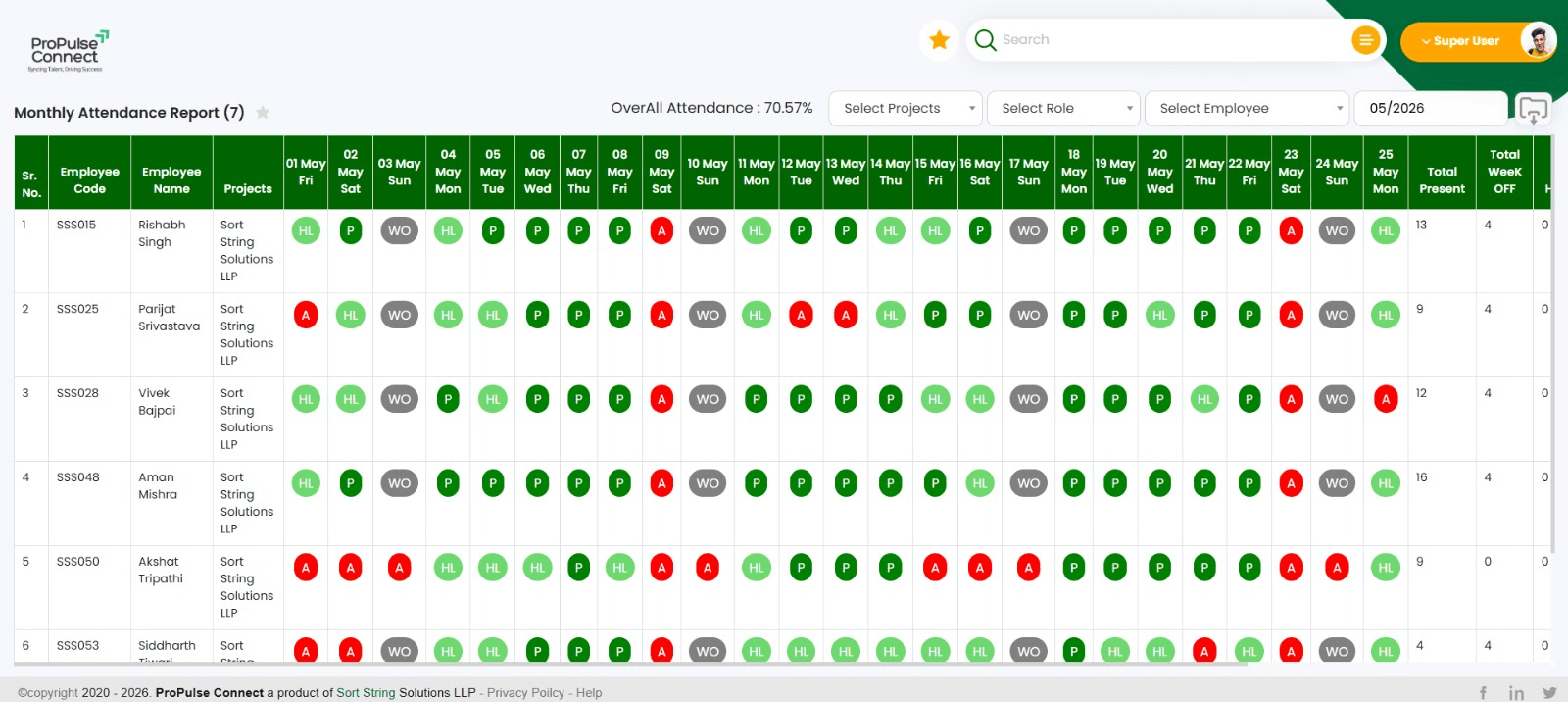
HR Cockpit
What Propulse Connect replaces
Punch cards, Excel and WhatsApp — replaced.
Most Indian workforce operations still run on a stack of punch-card registers, Excel payroll, paper leave forms, WhatsApp attendance photos, cash wage payouts and client billing spreadsheets. Propulse Connect replaces all of that with one verified, time-stamped digital record.
- One database — every attendance, every payslip, every approval
- Audit trail for HR, finance, statutory and client teams
- Self-service on mobile — fewer HR tickets, faster decisions
Tools that Propulse Connect replaces
Biometric Register Files
Replaced
Excel Payroll Sheets
Replaced
Paper Leave Forms
Replaced
WhatsApp Attendance
Replaced
Cash Wage Registers
Replaced
Client Billing Sheets
Replaced
What is inside Propulse Connect
Twelve modules. One employee record.
Adopt the modules you need today. Turn on the others when the business is ready. The same employee record runs through every module — no data silos, no double entry.
Onboarding & Employee Lifecycle
Joining forms, KYC, document checks, offer letters, joining kits, confirmation and exit — one digital record from day one to last working day.
GPS-Based Attendance
Real-time, location-tagged attendance for office, field and multi-site workforce. Selfie check-in, geo-fence, shift roster and overtime — all on a mobile app.
Leave Management
Multi-policy leave engines — earned, casual, sick, comp-off, sabbatical. Workflow-based approval, balance accruals and holiday calendars per location.
Payroll Engine
Automated payroll with attendance, overtime, reimbursements, statutory deductions and arrears. Payslip generation, bank payout files and Form 16 prep included.
Statutory Compliance
PF, ESI, TDS, Professional Tax, Labour Welfare Fund and gratuity — computed and filed without spreadsheets. State-wise rules built in.
Outsourced Workforce Management
Manage contractual workforce across single or multi-client sites. Client-wise deployment records, per-site billing and transparent agency-client-employee reporting.
Document Vault
Aadhaar, PAN, education, experience, contracts, NDAs and bank details — securely stored, role-controlled, audit-trailed and exportable on demand.
Employee Self-Service
A self-service portal and mobile app that cuts HR ticket load — payslips, leave balance, attendance records, IT declarations and reimbursement claims.
Performance & Reviews
Goal setting, KRA/KPI templates, 360 reviews, manager check-ins, ratings and increment cycles — auditable history per employee.
Expense & Reimbursement
Submit, approve, reimburse — bills, travel, fuel, tools and field expenses. GST capture, policy enforcement and bulk payouts via Tally / bank file.
Shift & Roster Planning
Build rosters across plants, branches and field teams. Auto-balance shifts, overtime, weekly offs and statutory rest rules.
Dashboards & Audit Trails
Headcount, attrition, payroll cost, statutory dues, client-wise billing and compliance status — live on one dashboard with full audit history.
Who Propulse Connect is built for
Built for Indian workforce realities.
In-house staff, field force, contractual workers and multi-client deployments — Indian operations rarely fit the single-mode HRMS category. Propulse Connect was built for the mix.
Staffing & Manpower Agencies
Place workers at single or multi-client sites. Bill clients per deployment. Stay compliant across states.
Distribution & FMCG Companies
Field salesmen, supervisors, in-house staff — managed on the same platform that runs SalesPort.
Dairies & Plants
Shift-based plant workers, field supervisors, drivers — attendance, payroll and PF/ESI in one system.
Mid-Market Enterprises
From 100 to 10,000 employees — statutory automation, role-based access, multi-location operations.
Why teams switch to Propulse Connect
The category options are these three. Propulse Connect wins on the mix.
Three patterns repeat across every switch story — generic HRMS gaps, missing outsourced workforce billing, and field-team attendance.
01
vs Keka / RazorpayX Payroll
Generic HRMS doesn't bill outsourced workforce per client site. Propulse Connect does — natively.
02
vs GreytHR / spine HR
Field-team GPS attendance and the rest of your distribution stack on one platform — not two vendors.
03
vs In-house Excel + Tally
Statutory automation, payslip generation, multi-state PF/ESI and audit trails — without rebuilding any of it.
Integrations
Works with the systems your finance and HR teams already run.
Tally for the books. SAP for the federation. Biometric devices at the gate. WhatsApp for employee notifications. Propulse Connect fits in — it does not demand a rewrite.
- Tally Prime (XML payroll)
- SAP HCM
- Biometric devices
- WhatsApp Business API
- Bank payout files (NEFT / RTGS)
- EPFO and ESIC portals
- UPI for reimbursements
- SortString stack — SalesPort, ProcuPort
How Propulse Connect is priced
No per-employee fees.
A one-time deployment fee. A fixed monthly AMC. That is the whole price list. Adding 500 contract workers does not change your bill. We share the real number in a 30-minute call.
- A one-time deployment fee — declared up front, in writing, with no surprises.
- A fixed monthly AMC. Per-employee pricing does not exist in our model.
- Live in 4 to 6 weeks for an in-house workforce, 6 to 10 weeks for outsourced multi-site.
- Source-code ownership available for enterprise contracts that require it.
Common questions
Questions HR and Ops actually ask.
The answers below are the same ones we give on the call.
What is Propulse Connect and who is it for?
What is Propulse Connect and who is it for?
What makes Propulse Connect different from Keka, GreytHR or RazorpayX Payroll?
What makes Propulse Connect different from Keka, GreytHR or RazorpayX Payroll?
Does Propulse Connect handle PF, ESI and TDS automatically?
Does Propulse Connect handle PF, ESI and TDS automatically?
Does the attendance app work in the field and offline?
Does the attendance app work in the field and offline?
How does multi-client outsourced workforce billing work?
How does multi-client outsourced workforce billing work?
How is Propulse Connect priced?
How is Propulse Connect priced?
How long does it take to go live?
How long does it take to go live?
Get a 30-min walkthrough on your data.
No deck, no fluff. Just the modules from this article running live.
See Propulse Connect running on your own workforce.
Thirty minutes. A real product. We walk you through onboarding, payroll, statutory filings and outsourced billing — using a sample of your own org chart.